
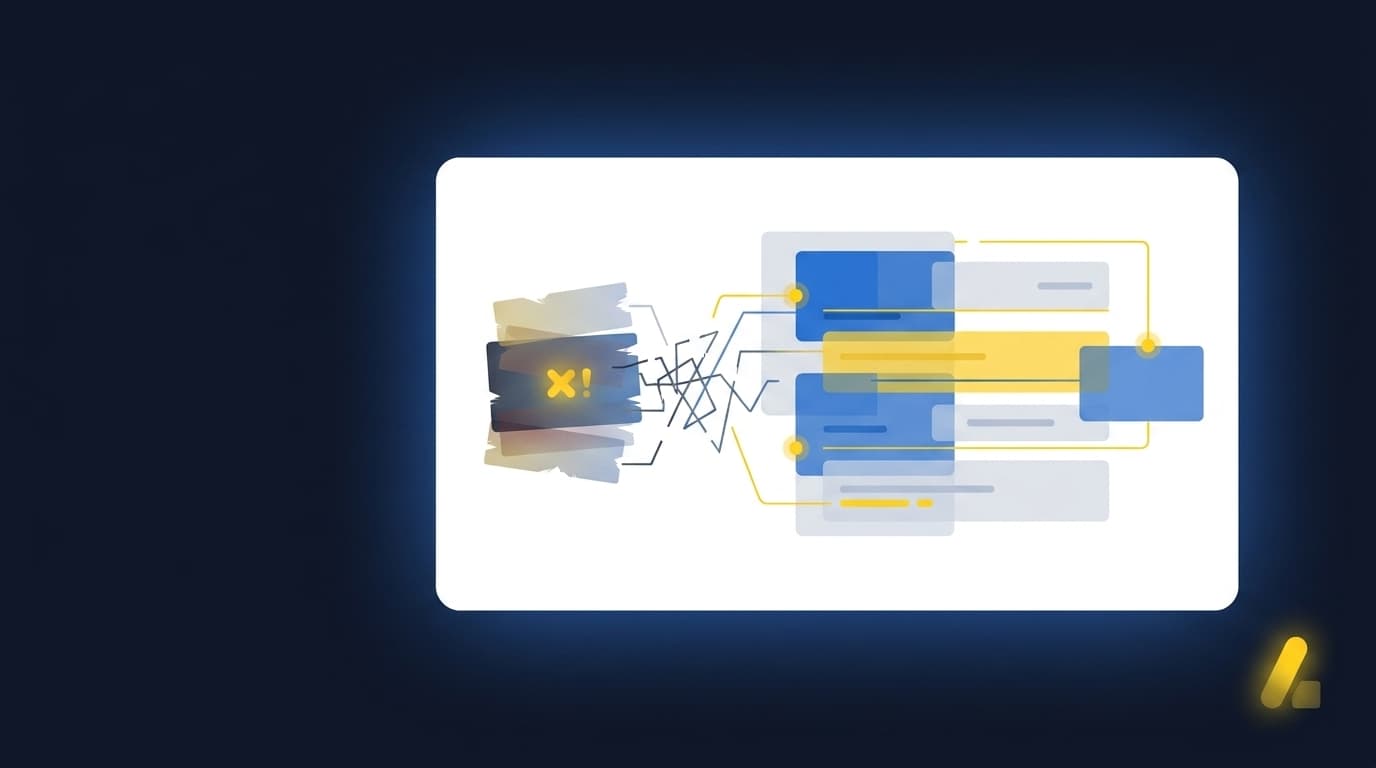
Your controller opens a custodian statement that changed layout overnight, then has to reconstruct last period's entity treatment before review can even begin. Repeated preparation, not the review itself, is where accounting team burnout during month-end takes root. Every new statement adds mapping decisions and completeness checks before the workpaper can reach the reviewer. The team arrives at the work that actually needs judgment only after spending its sharpest attention assembling support.
Close burnout starts before review because preparation absorbs the attention your accountants need for judgment. Each changed export, missing statement, and unclear classification adds another decision before anyone can investigate the balance itself. The answer isn't less review. It's preparing recurring work so the reviewer can trace the source, inspect the treatment, resolve exceptions, and sign off without rebuilding the file.
Key Takeaways:
- Treat source-file work as accounting preparation, not data extraction.
- Diagnose which recurring workflows create the most rework before choosing what to automate.
- Start with one bounded workflow that has known inputs and a prior approved result.
- Use the workpaper as the review surface between source documents and the GL.
- Route missing or unusual items to an accountant instead of resolving them without review.
- Keep Sage Intacct or QuickBooks Online as the system of record.
Why Accounting Team Burnout Starts Before Review
Accounting team burnout during month-end starts in the source-to-workpaper gap. The team has to combine files, apply entity rules, check completeness, explain differences, and prepare support before review can begin. If that preparation changes with every period or preparer, the close consumes experienced staff before their judgment is ever needed.
Source files create accounting decisions, not data-entry tasks
A custodian PDF isn't useful because software can read the numbers. The accountant still has to determine which entity owns the activity, whether a transaction is income or a transfer, how fees should be treated, and whether the statement agrees with the prior rollforward. Frankly, calling that data entry misses the accounting.
Extraction can put values into columns. It can't establish that the right statement arrived, preserve the treatment used for that account last period, or explain why an unexpected balance changed. When those decisions stay scattered across spreadsheets and reviewer notes, fatigue builds through repeated interpretation rather than the volume of keystrokes.
Family-office scale compounds four kinds of variation
A family-office accounting manager opens a custodian statement late in the close. Its layout changed, the account appears across several entities, and the prior workpaper used entity-specific treatment that isn't written anywhere in the statement itself. The manager can't simply pass the file to a preparer. Review has already started, but preparation is still being reconstructed from memory.
A family-office close behaves like a combination lock. Statement volume, file format, entity treatment, and reviewer expectations all have to line up before the work can move. One wrong setting doesn't produce an obvious failure; it produces a workpaper that looks complete until someone traces it back to source and the tumblers refuse to click.
The pressure usually comes from four places:
- Volume: More entities and investment vehicles create more recurring source flows.
- Format: Custodians can present similar activity in different layouts.
- Treatment: Account mappings and classifications vary by entity or account.
- Review: Every prepared output still needs an accountant's approval.
A walkthrough of that exact source-to-review handoff is available when you See Truewind in action.
Familiar control can still create close burnout
Spreadsheets have real merits, and pretending otherwise would be dishonest. They're flexible, accountants know exactly how to inspect them, and a skilled preparer can adapt one the moment the source changes. That's why spreadsheet-based close work persists across even well-resourced teams, and the logic behind it is genuinely reasonable.
The cost appears when flexibility becomes reconstruction. A manager covers for an unavailable preparer, opens the prior workbook, searches email for an explanation, and then checks whether the current statement follows the same treatment. Nothing about that work is trivial. Yet repeating it across dozens of accounts leaves less time for discrepancy investigation, audit support, and explaining results to the business.
Manual touch isn't the same as operational control. Control comes from preserving the process, showing the evidence, identifying what changed, and requiring a reviewer to approve the output. The next question isn't which tool can read the file. It's which workflow can prepare the work without asking your staff to rebuild the logic every single month.
How to Reduce Burnout During Month-End Close
You reduce burnout during month-end close by redesigning preparation around recurring workflows, prior approved work, and visible exceptions. The sequence matters: diagnose the work, choose a bounded starting point, define the expected workpaper, and capture reviewer decisions for later periods. Automation comes after the process is clear, never before.
Diagnose the work before you automate it
Where does the team actually lose the hours? A close checklist may show that a reconciliation finished two days late, but it rarely shows whether the delay came from a missing statement, a changed layout, an undocumented mapping, or reviewer rework. Those four causes require four different fixes, and automating the wrong one just makes a broken process faster.
Start by tracing one account from source receipt through reviewer sign-off. Record which files arrive, who interprets them, which prior artifacts guide treatment, and where the reviewer asks for changes. The most useful diagnostic is a single question: can this preparation be repeated by someone else without relying on one person's memory? If the honest answer is no, memory is doing the work a documented process should be doing.
Ask four questions:
- Can a different preparer identify every required source?
- Can the reviewer trace each material line to supporting evidence?
- Does the workpaper show which treatment came from prior periods?
- Are missing or unusual items separated from routine preparation?
If any answer is no, the workflow isn't ready for broad automation. It needs a clearer operating shape first.
Start with one recurring workflow and a known answer
A lean accounting team evaluating a new preparation workflow began by breaking the close down by entity, account, source availability, preparer, reviewer, and implementation dependency. The first candidate wasn't selected because it sounded impressive. It was selected because the work recurred every period, the inputs were known, and a prior approved workpaper gave the team a result they could compare against line by line.
A controlled pilot adds review work at the beginning, and that tradeoff is real rather than something to gloss over. The reviewer has to compare the prepared output to the known result, identify differences, and confirm that corrections persist into the next run. Still, that temporary burden is exactly what turns an automation claim into inspectable evidence a reviewer can actually stand behind.
Use a simple rollout sequence:
- Select one recurring workflow with stable review ownership.
- Gather the prior approved workpaper and current-period sources.
- Reproduce the expected preparation without changing accounting policy.
- Compare the output line by line with the known treatment.
- Capture corrections before adding another account or entity.
To inspect how prior work, current source files, and reviewer corrections stay connected in a recurring workflow, Book a Truewind demo.
Make the workpaper the review surface
A journal-entry draft on its own isn't enough. Reviewers need to see where each amount came from, how it was calculated, which accounting treatment was applied, what didn't fit, and who approved the final output. Without that context, a clean-looking entry can create more work, because the accountant has to re-perform the entire preparation somewhere else just to trust it.
The workpaper should hold the full chain from source to decision. Having the calculation sit beside the statement matters, but so does preserving reviewer notes and exceptions against the same workflow. A reviewer shouldn't have to search a shared drive to understand the number and then dig through email to understand the treatment.
A review-ready workpaper should show:
- The source document supporting each prepared item
- The calculation or reconciliation behind the balance
- The account, entity, and dimensional treatment applied
- Any missing, unusual, or unreconciled items
- The reviewer's correction, confirmation, and sign-off
That structure reduces accounting team burnout during close because it moves review away from file reconstruction. The accountant still owns the result. The difference is that judgment begins with prepared evidence rather than a blank spreadsheet and a hunt for last quarter's logic.
Separate routine preparation from real exceptions
Routing routine work and exception work into the same pile is where good reviewers lose their afternoons. A recurring classification that agrees with the team's established rules still needs review, but it doesn't need the same investigation as a missing statement, mixed personal and business activity, or an unexpected balance change.
Exception-based preparation doesn't mean the accountant reviews nothing else. Every output still requires confirmation before it reaches the GL. The better division is between work that follows the known process and work that falls outside it, with both kept visible in the same review surface.
Route an item for closer judgment when:
- A required source hasn't arrived.
- Current-period activity doesn't agree with the prior pattern.
- An entity or fund classification conflicts with established treatment.
- A reconciliation contains an unresolved difference.
- A rule change would alter accounting treatment.
Exceptions are part of a controlled workflow, not evidence that automation failed. Trying to hide them is what creates real risk. Showing them with source context lets the reviewer spend attention where the accounting decision actually sits.
Capture corrections where the next period can use them
What happens after a reviewer changes a classification at 9pm on close night? If the correction lives only in a workbook cell or a buried email thread, the next preparer has to rediscover it from scratch. The workflow hasn't learned anything, and accounting team burnout during the next close starts from the exact same unresolved context.
Reviewer corrections should become part of the recurring preparation record. That record can include a confirmed mapping, an allocation choice, a cutoff treatment, or an explanation for an exception. The key boundary is explicit and non-negotiable: captured history can guide the next period, but it can't change accounting policy on its own.
For each correction:
- Preserve the original source and proposed treatment.
- Record what the reviewer changed.
- Keep the reason beside the corrected item.
- Apply the confirmed treatment when the same pattern returns.
- Surface any new edge case instead of forcing the old rule.
A recurring workflow becomes useful when prior judgment reduces repeated setup without hiding change. Same process, new period, visible evidence.
Keep the ledger downstream and the accountant in control
Sage Intacct and QuickBooks Online should remain the system of record. The preparation layer belongs upstream, where source files become coded transactions, reconciliations, schedules, workpapers, and journal-entry drafts. Posting comes after review, never before it.
Some buyers genuinely want an agent that can decide and post without a person in the loop. It's an understandable instinct when you're staring down a backlog. That approach removes a control boundary many accounting teams consider essential, and it isn't the model described here. The accountant confirms treatment, resolves exceptions, and approves the prepared output before anything moves downstream.
Keeping those roles separate also makes tool evaluation far easier. The ERP records approved accounting. The preparation workflow combines sources, applies the team's process, and presents the result for review. Once that operating design is clear, software can be judged on whether it reproduces the process, exposes exceptions, and keeps approval with the accountant.
How Truewind Prepares Work for Accountant Review
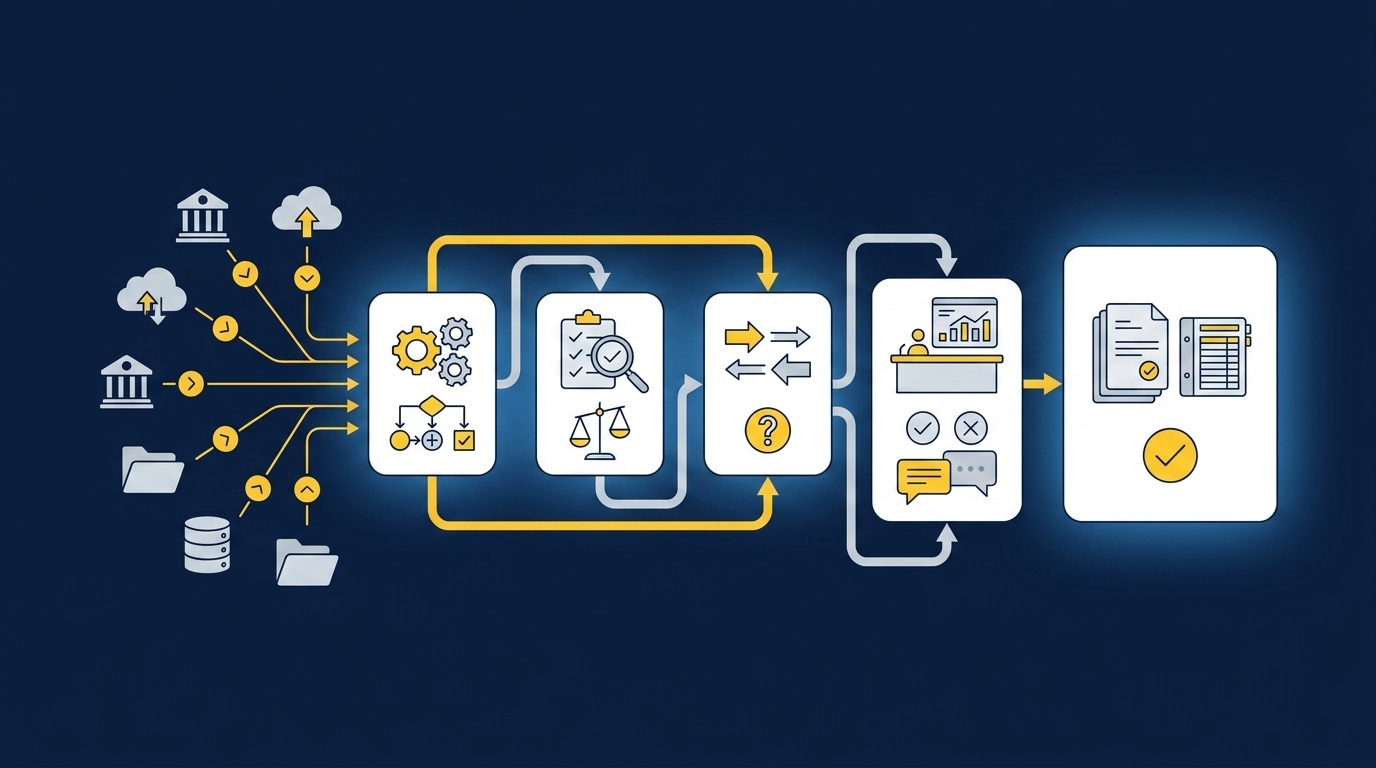
Truewind sits between recurring source files and Sage Intacct or QuickBooks Online. It structures the inputs, applies historical treatment, prepares workpapers and reconciliations, and presents exceptions with source links. Accountants inspect, correct, and approve the work before confirmed output moves to the GL.
Source-linked preparation across files and periods
Multi-source ingestion accepts the bank activity, processor exports, donor-platform files, custodian statements, prior workpapers, and other recurring materials connected to the workflow. Multi-source reconciliation then matches activity across systems using the team's historical treatment. Unreconciled items remain visible for reviewer judgment rather than being forced into agreement.
Workpaper generation and rollforward bring the prior workpaper, current-period sources, and ERP balances into a familiar review artifact. Historical-example learning carries confirmed coding decisions and reviewer corrections into later preparation without changing policy on its own. A buyer described the review change plainly: "Categorization is accurate, and we stopped having to double-check everything."
Exceptions stay visible until an accountant decides
Proactive anomaly detection compares current preparation with prior workpapers and the learned process. Missing statements, unexpected balance changes, mixed activity, and inconsistent classifications go to the reviewer with source context attached. The human-in-the-loop review workflow lets accountants confirm, adjust, or send work back before any downstream use.
That control boundary matters more than a claim of full autonomy. One accounting-firm customer put the capacity shift plainly: "Truewind automates a huge chunk of that busywork." The same customer added, "It's not just about making bookkeeping simpler; it's about freeing up teams, and helping them focus on higher-value projects." A marketplace finance leader described the broader change another way: "If I had to describe Truewind in one word: Lifechanging."
After sign-off, reviewed output can move to Sage Intacct or QuickBooks Online with coding and dimensional context preserved. Neither integration makes the platform the ledger, and neither permits an unapproved push. To inspect how source links, exception review, and reviewer actions stay together before the GL handoff, Get a Truewind demo.
A Close Your Accounting Team Can Sustain
A sustainable close doesn't ask experienced accountants to choose between preparation and judgment. It gives recurring source work a defined path into a reviewable workpaper, preserves prior treatment, and puts exceptions in front of the person qualified to decide.
Accounting team burnout during month-end won't be solved by reading PDFs faster or adding another checklist. It shrinks when the work before review becomes repeatable, the evidence stays attached, and the accountant remains in control of every approved result.
Frequently Asked Questions
How do I handle edge cases effectively?
To handle edge cases effectively, start by clearly defining the criteria for what constitutes an edge case in your accounting workflow. Use Truewind's Proactive Anomaly Detection feature to identify missing statements or unexpected balance changes. This tool helps route these items to the appropriate accountant with the necessary context for review. Additionally, ensure that all exceptions are documented in your workpapers so that they can be addressed in future periods.
What if my source documents vary in format?
If your source documents come in different formats, you can use Truewind's Automated Data Ingestion feature. This allows you to upload various types of documents, like PDFs and spreadsheets, and converts them into a structured workflow. This way, you can minimize the manual effort needed to normalize the data before accounting tasks begin. Make sure to establish a consistent process for handling these variations to reduce confusion during the close.
Can I automate my reconciliation process?
You can streamline your reconciliation process using Truewind's Multi-Source Reconciliation feature. This tool helps align activity across different sources, like bank statements and ERP balances, while surfacing any unreconciled items for reviewer judgment. Start by inputting your recurring sources and let Truewind prepare a review-ready reconciliation. Remember, automation should enhance your existing workflow without bypassing necessary reviews.
When should I consider automating my workflows?
Consider automating your workflows when you've diagnosed recurring tasks that consume significant time and resources. Use Truewind to identify which workflows create the most rework and start by automating one bounded workflow with known inputs and a prior approved result. This approach allows you to test the automation's effectiveness before expanding it to other areas of your accounting processes.
Why does my team struggle with month-end close?
Your team may struggle with month-end close due to inconsistent source documents and lack of structured workflows. Truewind can help by organizing messy financial data into structured workflows, allowing your team to focus on higher-value tasks. By using features like Workpaper Generation and Rollforward, you can ensure that prior work is preserved and easily accessible for the next period, reducing the time spent on preparation.
Turn this into a close-ready workpaper
Start with sample files or upload your own statements to see how Truewind prepares review-ready workpapers and journal entries.