

Sage Intacct can be ready for posting while the close is still stuck in a folder of custodian PDFs, processor exports, and prior workpapers. If your team spent this week rebuilding support before a reviewer could inspect one journal entry, the ledger wasn't the bottleneck. The accounting close best practices that matter most begin upstream, where source files become reviewable accounting work.
The usual answer is a tighter checklist. That can improve ownership, but it won't determine what a statement represents, apply last period's treatment, reconcile conflicting totals, or show a reviewer why an exception needs judgment. Close discipline depends on how work is prepared, not just when each task is due.
Key Takeaways:
- Start close improvement with recurring preparation work, not the posting deadline.
- Require every workpaper to show source, calculation, treatment, exceptions, and reviewer sign-off.
- Use prior approved work as operating context for the next period.
- Separate repeatable preparation from judgment items that belong with an accountant.
- Test new workflows against a known answer before expanding their scope.
Why Close Best Practices Break Before Review
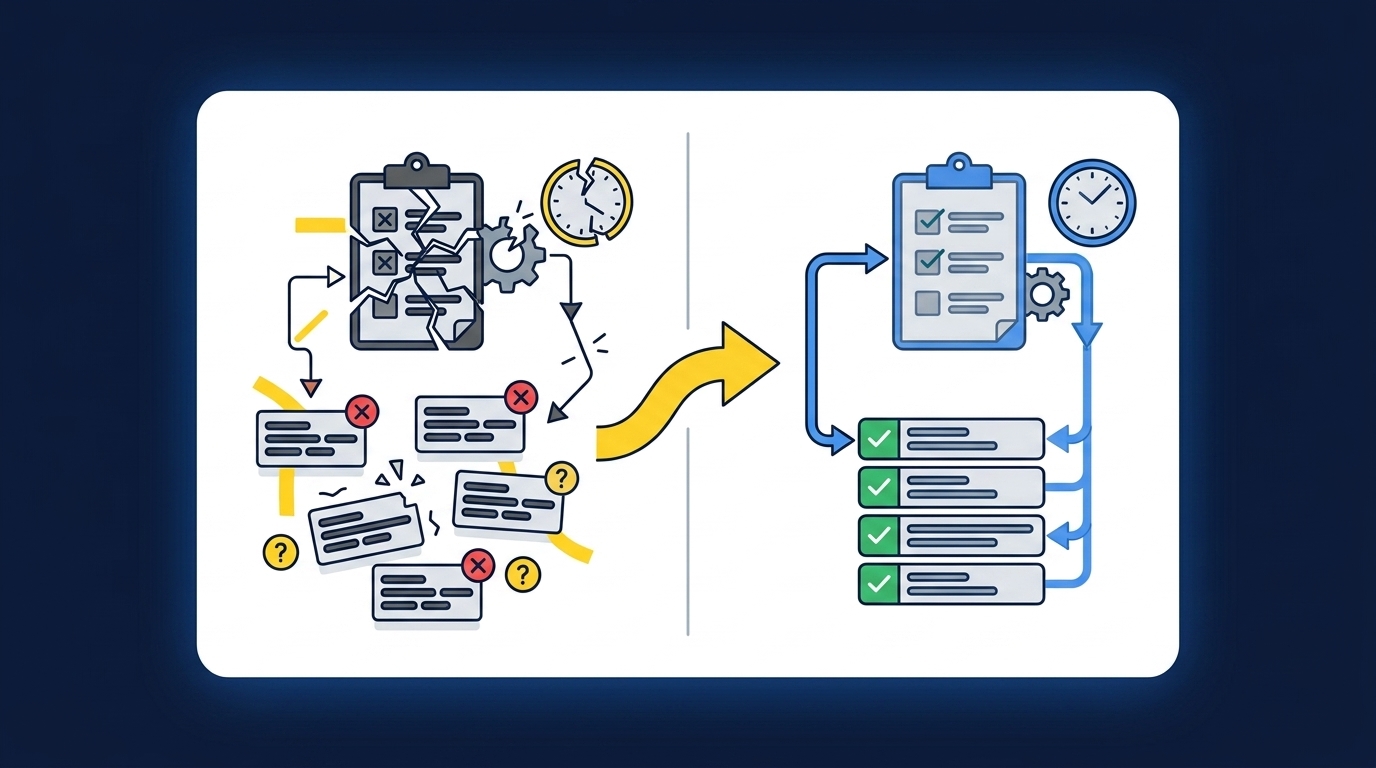
Accounting close best practices fail when they manage deadlines without improving the work that feeds review. A checklist can assign an owner and due date, but it can't normalize source files, preserve dimensions, or explain a reconciling item. Those tasks determine whether the reviewer receives accounting work or another file to rebuild.
The checklist starts too late
A close checklist usually begins with an account, a preparer, and a deadline. The real work may begin an hour earlier, when someone downloads a processor report, finds the related bank activity, locates last month's mapping, and rebuilds the support schedule from scratch. None of that appears in the task name. It still consumes the preparer's attention.
The status can say "in progress" while the accounting hasn't started. Familiarity makes the setup feel controlled, and that's a fair reason spreadsheets persist. They're flexible, people know where to look, and a skilled preparer can work around almost any format change. The weakness appears when that skill lives in one person's memory instead of the workpaper, and that person takes a week off during close.
Clean source data is the exception
A bank feed describes cash movement. A donor platform describes donor activity and restrictions. A processor report describes fees, refunds, settlements, and timing. Those sources may describe the same economic event, but they don't organize it for the same accounting purpose, and a reviewer can't sign off on the difference between them without seeing the path.
Picture a controller at 4:40 PM on close day, staring at a donation reconciliation. The bank shows a single deposit of $82,000. The donor platform shows 340 gifts, some restricted, netted against processor fees and a refund from last month that settled late. Accepting the bank deposit alone isn't an option. The support has to preserve the path from donor activity through processor settlement to cash, including the dimensions the GL needs. Treating source-file inconsistency as simple extraction misses the accounting work. The question isn't whether the PDF can be read. It's whether the resulting workpaper can be reviewed.
If you want to inspect that distinction in a real preparation flow, you can see Truewind in action without changing the question your reviewer already asks: where did this number come from?
Manual touch is not the same as control
A preparer can type every number and still produce weak support. Manual work proves that someone touched the file. It doesn't prove that the source was complete, the prior treatment was applied, or an unexpected balance change reached the reviewer.
The workpaper is the control surface. Like a cockpit panel, it should show the inputs, the current calculation, and the items that require a human decision in one place, where the pilot can scan them without opening a manual. A polished total without that path creates more concern, not less, because the reviewer has to reverse-engineer the preparation before approving it. Better close practice starts by defining what the reviewer must be able to see.
Accounting Close Best Practices for Reviewable Preparation
Reviewable preparation starts with a bounded workflow, known source files, prior approved work, explicit exception rules, and a named reviewer. Those elements turn recurring close work into a process that can be tested and repeated. They also keep accounting judgment with the person who owns the result.
Diagnose where preparation is actually breaking
Where does your reviewer stop reading and start rebuilding? That question is more useful than asking which close task takes the longest. A long task may involve real judgment, while a short recurring reconciliation may hide repeated file cleanup, mapping checks, and unexplained differences across several people.
Start with observable evidence. Open the last three completed workpapers for one recurring account and compare the source package, calculations, comments, exceptions, and final entry. If the structure changes every period, the workflow isn't stable enough to automate yet. If the structure is consistent but preparation is repetitive, you have a stronger candidate.
Use these questions during the review:
- Does the work begin from the same types of source files each period?
- Can the reviewer point to a prior approved answer?
- Are account mappings, cutoffs, and dimensions visible?
- Can exceptions be separated from routine preparation?
- Does one person clearly own sign-off?
Three or more "no" answers point to a process-definition problem. Fix the workpaper and ownership first. Automation applied before that point will reproduce ambiguity faster.
Choose a recurring workflow with a known answer
The first workflow shouldn't be the most impressive close problem on your list. It should be recurring, bounded, supported by available source files, and easy for a reviewer to compare against a prior approved result. A prepaid rollforward, processor settlement reconciliation, or recurring brokerage workpaper often provides a clearer test than a broad request to automate the close.
Not every workflow belongs in the first round. A new acquisition with unsettled accounting treatment, missing source documents, or changing entity rules requires more judgment than repeatability. Starting there may produce an interesting demonstration, but it won't tell you whether the preparation process can run again next period.
A practical first scope has four parts:
- Known inputs: The team can identify the files and balances required.
- Known treatment: Prior workpapers show how the account was handled.
- Visible exceptions: Missing or unusual items can be routed to a reviewer.
- Comparable output: The prepared work can be checked against an approved period.
Controlled iteration can look slower than a broad rollout on paper. That limitation is real. It also gives the team evidence it can inspect before the workflow touches more entities, accounts, or journal entries.
Define the workpaper before selecting automation
A workpaper is not a formatted answer. It is the source, the calculation, the accounting treatment, the exceptions, and the reviewer action in one review surface. If any of those pieces sit in email or depend on the preparer's explanation, the artifact is incomplete.
Write the acceptance criteria from the reviewer's seat. For a processor reconciliation, the reviewer may need the payout report, bank deposit, fee detail, timing differences, coding, and proposed journal entry tied together. For a brokerage rollforward, the workpaper may need beginning balance, current statement activity, entity treatment, ending balance, and unresolved differences.
The review standard should answer five questions:
- What source produced each material amount?
- Which calculation converted that source into accounting support?
- What prior treatment or rule was applied?
- Which items didn't fit the expected pattern?
- Who approved the final treatment?
A clean total answers none of those questions by itself. Sound close practices become useful when the reviewer can trace and re-perform the important steps without opening a separate investigation.
Preserve prior decisions as operating context
Last period's workpaper contains more than a beginning balance. It shows account mappings, classification splits, cutoff choices, allocation rules, reviewer corrections, and the places where standard treatment didn't apply. Losing that context forces the team to make the same small decisions again.
A common mistake is to copy the workbook without carrying forward the reasoning. The formulas remain, but reviewer comments sit in email, unusual classifications aren't explained, and the preparer has to remember why one item received different treatment. By the next period, the file looks familiar while the process has reset.
Preserve context in a simple sequence:
- Start from the last approved workpaper, not an empty template.
- Attach current-period source files and relevant ERP balances.
- Apply confirmed mappings, dimensions, cutoffs, and allocations.
- Compare current preparation with the prior period.
- Record reviewer corrections where the next preparer can use them.
A Truewind workflow walkthrough can be useful at this stage because the evaluation stays tied to one prior workpaper, one current source package, and one review path. The goal is comparison, not a leap of faith.
Route exceptions instead of hiding them
Exceptions aren't evidence that the process failed. They're the point where repeatable preparation ends and accounting judgment begins. Missing statements, unexpected balance changes, mixed activity, or a changed classification should become visible review items rather than forced matches.
Reviewers shouldn't have to inspect every routine line to find the one item that changed. Preparation should apply the established process to what fits, then present what doesn't fit with the related source. Your team can spend its attention on the difference instead of proving the same treatment again.
An exception queue should tell the reviewer:
- which source or expected document is missing;
- what changed from prior treatment;
- which amount, dimension, or classification is affected;
- what support is available; and
- what decision must be made before approval.
The tradeoff is that exception-based review requires clear rules. Loose conventions create too many flags, while hidden conventions create too few. The right starting point is the team's approved history, followed by explicit corrections that become available to later periods.
Expand only after the correction persists
Confidence grows when a reviewer corrects an item, sees that correction captured, and recognizes the treatment in the next period. One successful output isn't enough. Repeatability is the evidence that a workflow has learned the accounting team's process rather than reproduced a single answer.
Run the first workflow against a known result. Compare the source package, calculations, coding, dimensions, exceptions, and journal-entry draft. Record each difference, decide whether it reflects a rule or a one-time judgment, and rerun the preparation after the correction. Only then should you add another account or entity.
Expansion should follow the shape of the proven workflow:
- Repeat the same account for another period.
- Add a similar account with the same review pattern.
- Extend to another entity where dimensions remain explicit.
- Introduce a different workflow only after the first stays understandable.
One customer described the experience in unusually strong terms: "If I had to describe Truewind in one word: Lifechanging". Another said, "It's essentially perfect. Categorization is accurate, and we stopped having to double-check everything." Those are individual customer statements, not a promised result. The useful lesson is the path behind them: known work, visible review, corrected treatment, and a process that carries forward.
How Truewind Prepares Review-Ready Close Work
Truewind prepares recurring accounting work between source files and the GL, then presents it for accountant review before anything posts. It reads the source package, applies the team's confirmed treatment, prepares the workpaper and related entry draft, and surfaces items that fall outside the learned process. Sage Intacct or QuickBooks Online remains the system of record.
Source-linked preparation replaces file rebuilding
Truewind's multi-source ingestion accepts recurring inputs such as bank activity, processor exports, donor-platform files, custodian statements, prior workpapers, and operational exports. Multi-source reconciliation then matches related activity using historical treatment and prepares the reconciliation, supporting schedule, and any required journal-entry draft. Unreconciled items stay visible for reviewer judgment.
Workpaper generation and rollforward bring the prior workpaper, current source documents, and ERP balances into the same recurring workflow. Historical-example learning carries confirmed mappings, allocation choices, classification splits, and reviewer corrections into later preparation. It doesn't change accounting policy or decide an exception on its own.
The preparation layer covers four concrete jobs:
- Organize source files: Retain the documents that support the accounting work.
- Apply established treatment: Use confirmed coding, dimensions, and allocation rules.
- Prepare review artifacts: Produce workpapers, reconciliations, schedules, and entry drafts.
- Surface differences: Route missing or unusual items to the accountant with source context.
Reviewer approval remains the release point
Truewind's human-in-the-loop review workflow keeps the prepared work, source links, exceptions, and reviewer actions together. Accountants can confirm, adjust, or return an item to preparation. The audit trail retains the source, coding decision, correction, and review action associated with the workflow.
After sign-off, reviewed output can move to Sage Intacct or QuickBooks Online with coding and dimensional context preserved. The product doesn't replace either ledger, and it doesn't post without reviewer confirmation. That boundary matters. The accountant owns the treatment and the final result.
If the source-to-sign-off path matches how your team already controls the close, get a Truewind demo and bring one recurring workpaper with its prior approved result. The useful test is whether the prepared output is easier to trace, review, and correct without weakening the control your team already owns.
What Better Accounting Close Practices Preserve
Better accounting close practices preserve judgment while making preparation repeatable. They begin with messy source files, produce a workpaper a reviewer can inspect, carry approved treatment into the next period, and stop before an exception becomes an automated guess.
The goal isn't fewer accountants in the close. It is more accounting time available after the numbers have been assembled. When preparation moves upstream into a controlled workflow, experienced staff can spend more of the close investigating changes, explaining results, and improving the controls around the work.
Frequently Asked Questions
How do I handle edge cases effectively?
To manage edge cases effectively, start by documenting the specific rules your team uses for classification and treatment of unusual items. Next, use Truewind's Proactive Anomaly Detection feature to identify discrepancies or unexpected changes in your data. This tool surfaces items that don't fit the learned process, allowing your team to focus on judgment calls rather than routine checks. Finally, ensure that all exceptions are routed to the appropriate accountant for review, so they can make informed decisions based on the source context.
What if my source data is inconsistent?
If your source data is inconsistent, Truewind's Automated Data Ingestion can help. This feature organizes raw financial documents like bank statements and processor exports into a structured format, making it easier to work with. Start by uploading all relevant source files into Truewind. The platform will then convert these into a usable workflow, allowing you to address inconsistencies before they impact your accounting processes. This way, you can ensure that your preparation work is based on reliable and consistent data.
Can I integrate Truewind with my existing systems?
Yes, you can integrate Truewind with existing systems like Sage Intacct and QuickBooks Online. This integration allows you to transfer reviewed journal-entry drafts, schedules, and reconciliations directly to your general ledger while preserving dimensional coding and source links. To set this up, ensure your Truewind account is connected to your chosen ERP. Once linked, you can streamline your workflow, making it easier to manage your accounting close without changing where your books live.
When should I expand my workflows in Truewind?
You should consider expanding your workflows in Truewind once you have successfully established a repeatable process for a specific account or entity. Start by running a workflow against a known result and ensure that the preparation process is consistent and reliable. After capturing corrections and confirming the treatment, you can gradually add similar accounts or entities. This method helps maintain control and ensures that your team can confidently handle more complex workflows.
Why does my team need to preserve prior decisions?
Preserving prior decisions is crucial because it provides context for recurring work. Truewind helps maintain this context by rolling forward previous workpapers and incorporating the team's historical treatment into current preparations. This means that when you start from the last approved workpaper, you carry forward not just numbers but also the reasoning behind them. This continuity reduces the risk of making the same small decisions repeatedly and helps your team maintain consistency across periods.
Turn this into a close-ready workpaper
Start with sample files or upload your own statements to see how Truewind prepares review-ready workpapers and journal entries.