
By Friday afternoon, a nonprofit controller can have every bank deposit in Sage Intacct and still be waiting on the accounting behind it. You’re matching donor records to processor settlements, separating fees and timing differences, preserving fund dimensions, and rebuilding the support a reviewer needs.
The accounting automation myths that matter most erase that middle layer. They frame the choice as manual control or autonomous posting, when useful automation prepares the work upstream, keeps the GL as the system of record, and leaves accounting judgment with the reviewer.
Key Takeaways:
- Start with the preparation work before the journal entry reaches the GL.
- Treat donor, processor, and bank records as one reconciliation, not separate feeds.
- Require every prepared output to show its source, calculation, treatment, exceptions, and sign-off.
- Route unusual items to the accountant instead of forcing them through a rule.
- Measure added capacity by the judgment work your experienced staff can take back.
Why Accounting Automation Myths Survive the Nonprofit Close
Accounting automation myths survive because most software discussions begin at the ledger, while nonprofit close work begins several systems earlier. A clean bank feed doesn’t explain which donors funded the deposit, which fees were withheld, or which fund and program dimensions belong on the entry. Posting is the final move. Preparation is where the close carries its weight.
Myth 1: Automation Starts With Posting
The first accounting automation myth puts the journal-entry push at the center of the problem. That’s understandable. Posting is visible, it happens inside the accounting system, and it creates a clear finish line. Yet automating that final handoff leaves the team doing the same work across donor exports, processor reports, spreadsheets, and supporting documents.
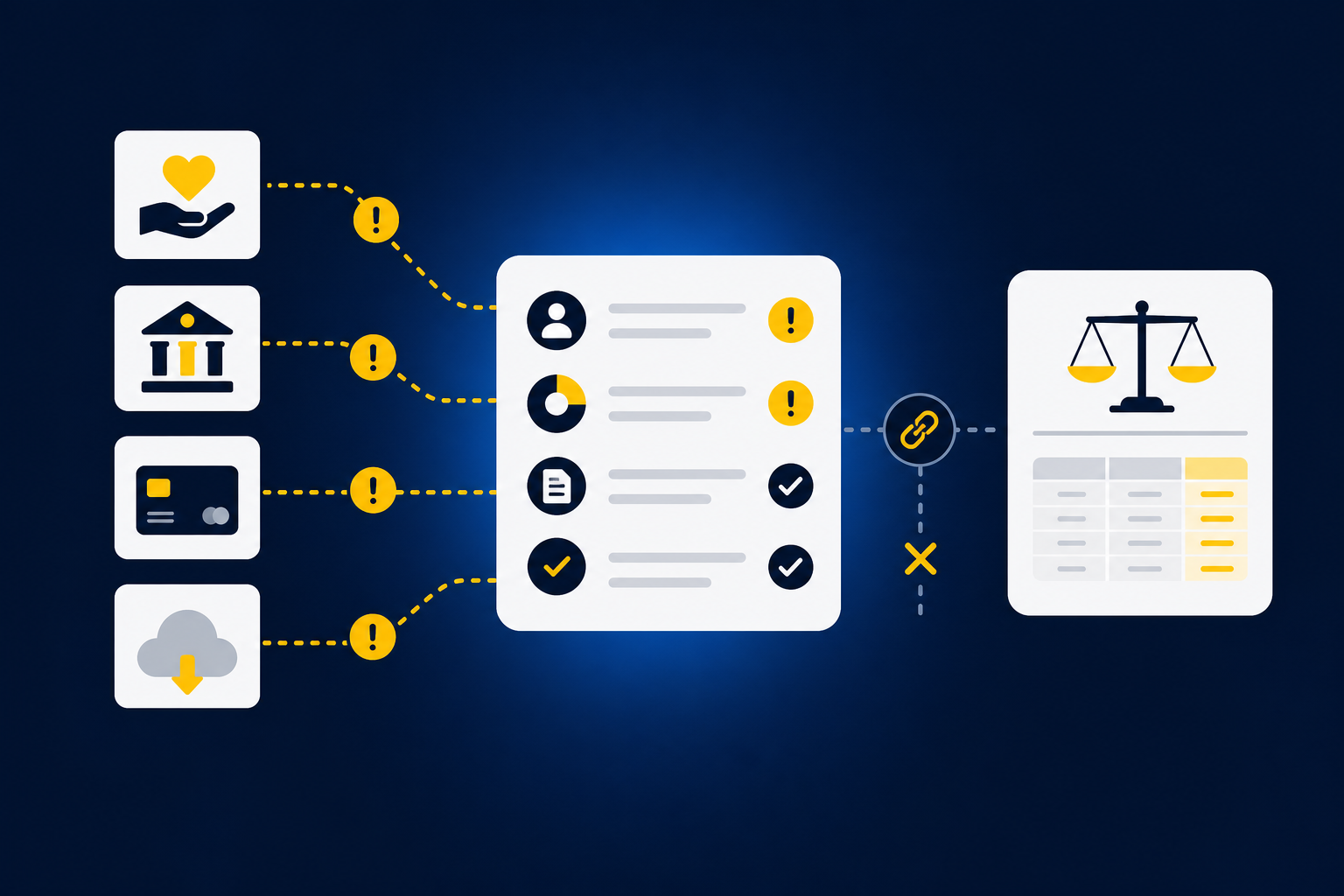
On the third business day, your senior accountant downloads activity from a donor platform, compares it with processor settlements, and checks the bank for the net deposits. A difference might be a fee, a refund, a timing item, or missing source activity. None of those answers appears in the bank feed by itself. The accountant has to combine the sources, apply the organization’s treatment, prepare the reconciliation, and give the controller something reviewable.
Software can post an approved entry without solving any of that. The better question is whether it can prepare the accounting work that makes the entry ready to approve. If you want to inspect that upstream handoff against a recurring reconciliation, you can see the preparation workflow in action.
Myth 2: A Bank Feed Contains Enough Context
A bank feed records cash movement, not the full accounting meaning of that movement. One deposit may combine restricted donations, unrestricted gifts, processor fees, refunds, and activity tied to several programs. The amount can tie to the bank while the entry remains incomplete.
Think of the bank feed as the cover page of a support package. It tells you the total that arrived. The donor and processor records contain the pages that explain what the total means, while the workpaper shows how those records became an entry. Posting from the cover page alone removes the very context a nonprofit reviewer needs.
Among the accounting automation myths that nonprofit controllers encounter, the clean-feed assumption is one of the most costly. It turns a combination problem into a transaction-coding problem. The software may categorize the deposit, but it can’t preserve restricted-fund treatment or program dimensions unless the supporting sources and the team’s rules travel with it.
Myth 3: Human Review Means Touching Every Line
Human review doesn’t require a reviewer to reproduce every preparation step by hand. It requires the reviewer to see what was prepared, trace it to source, inspect the applied treatment, and decide whether the exceptions were handled correctly. Rechecking ordinary activity line by line often delays the judgment work that only the controller can perform.
Manual review has real merits. Spreadsheets are flexible, and a skilled accountant can adapt one when a donor export changes or a grant requires a new classification. The weakness appears when that flexibility depends on someone remembering last period’s treatment, finding the right workbook, and explaining an undocumented change during review.
Your team should review every prepared output before it reaches the GL. Your team shouldn’t have to rebuild every output to understand it. Once that distinction is clear, the next question becomes practical: what should a controlled accounting automation process actually contain?
How to Evaluate Accounting Automation Without Giving Up Control
Good accounting automation separates repeatable preparation from accounting judgment. The workflow should follow known source files and prior treatment, then place missing support, changed classifications, and unusual balances in front of the reviewer. Control comes from visible evidence and explicit approval, not from requiring human hands on every ordinary line.
Diagnose the Preparation Layer Before Buying Software
Your close checklist rarely shows how much work sits inside each checked box. “Reconcile donations” may hide several downloads, a mapping workbook, fee calculations, dimension checks, and a journal-entry draft. Before judging accounting automation, unpack the recurring work at that level.
Look at the last completed period rather than relying on the written checklist alone. Open the approved workpaper and trace backward until you reach the original files. If the treatment depends on a prior-period workbook, a reviewer note, or a preparer’s memory, that dependency belongs in the workflow definition. Frankly, software demos often look much simpler when those details stay offscreen.
Five questions will expose whether the preparation layer is defined well enough to automate:
- Which source files are required before preparation can begin?
- What mappings, cutoffs, dimensions, or allocation rules are applied?
- Which prior workpaper or approved entry shows the expected result?
- What differences should stop the workflow and reach a reviewer?
- What exact artifact does the reviewer expect to receive?
An unclear answer doesn’t mean the workflow can’t be automated. It means the process needs to be made explicit first. Automation myths often survive because buyers compare interfaces before documenting the accounting work underneath them.
Choose a Recurring Workflow With a Known Answer
A strong first workflow is bounded, repeated, and supported by a prior approved result. A monthly donor-to-bank reconciliation is usually easier to test than a one-time grant analysis involving unresolved policy questions. One lets you compare preparation against a known answer. The other asks the system to operate while the team is still deciding what the answer should be.
Not every accounting workflow should be automated first. One-off analyses and policy-heavy judgments may remain manual, and that’s a valid boundary rather than a failure of the technology. The better starting point is work where the accountant already knows the sources, sequence, treatment, and review standard.
Use the last approved period to set the test:
- Gather the original source files and final workpaper.
- Document the mappings, dimensions, cutoffs, and reviewer corrections.
- Prepare the same workflow from those inputs without relying on memory.
- Compare every difference with the approved result before using a new period.
A successful test doesn’t prove that every close workflow is ready. It proves that one defined process can be reproduced, reviewed, and corrected without losing its accounting logic. That’s enough to earn the next workflow.
Make the Workpaper the Review Contract
What should a reviewer receive from an automated workflow? The answer isn’t a journal entry by itself. A reviewable workpaper connects the original source to the calculation, the proposed accounting treatment, the unresolved items, and the person who approved the result.
A polished answer without that trail can create more concern than an obvious error. The reviewer can see that something ties, but not why it ties or whether the right source was used. Accounting automation myths tend to focus on output accuracy while ignoring the surface where a controller actually evaluates the work.
At minimum, each prepared workpaper should show:
- Source: The donor export, processor report, bank activity, or prior schedule supporting the line.
- Calculation: The match, allocation, rollforward, or adjustment used to prepare it.
- Treatment: The account and dimensional coding applied under the team’s rules.
- Exceptions: Missing support, changed balances, or classifications requiring judgment.
- Sign-off: The reviewer action taken before the output moves downstream.
The workpaper is where automation and judgment meet. If the reviewer can’t trace and re-perform the key steps, the output isn’t ready for the close.
Separate Exceptions From Ordinary Preparation
Ordinary preparation and exception review are different kinds of work. Matching a recurring processor fee under an approved rule is preparation. Deciding whether an unexpected balance change reflects missing activity or a new accounting treatment is judgment.
The distinction matters because automation should reduce the volume a reviewer has to inspect without hiding what changed. Missing statements, mixed activity, new classifications, and unexplained differences should remain visible. Forcing those items through a default rule may produce a clean-looking workpaper, but it weakens the control the reviewer is supposed to provide.
Define exception rules before the workflow runs. Ask what should happen when a statement is absent, a deposit doesn’t match its supporting detail, or an allocation rule changes. Then require the workflow to stop, retain the source context, and route the item to the accountant.
A product evaluation should show that path, not just the happy path where every total agrees. To compare that exception flow with the way your controller reviews work today, book a workflow review using one recurring reconciliation as the test case.
Carry Dimensional Logic Across Every Source
One bank deposit can carry several accounting dimensions even though the bank provides only an amount and date. Donor activity may identify the fund, campaign, chapter, or purpose. Processor records explain fees and settlement timing. The accounting team’s own rules determine how those details become program, department, location, or functional classifications.
Static vendor rules won’t cover every case. The same processor may handle activity for several programs, and the right split can change based on a donor restriction or campaign. A useful workflow applies approved rules where they fit, preserves each source used, and surfaces changes rather than inventing an allocation.
Walk one deposit through the full chain:
- Match the bank amount to the processor settlement.
- Match settlement detail to the donor-platform activity.
- Separate fees, refunds, timing items, and unreconciled amounts.
- Apply the approved fund, program, chapter, or purpose dimensions.
- Prepare the support schedule and journal-entry draft for review.
The order matters. Coding the bank line first and hunting for support later reverses the accounting process. With Truewind, that preparation layer can carry dimensional context from the operational source into the workpaper, then into the reviewed entry, without turning the platform into a general ledger.
Measure Capacity Where Judgment Begins
Capacity is a more credible goal than accountant replacement. The useful measure is how much recurring preparation leaves the reviewer’s desk, and whether that recovered time moves into discrepancy investigation, grant reporting, audit support, or explanations for program leaders and the board.
That’s where tools like Truewind are worth evaluating on mechanism rather than promises. Automated data ingestion can organize recurring source materials before close work begins. AI-powered transaction coding can propose categorizations based on the team’s rules and prior corrections. Workpaper rollforwards, source-linked reconciliations, and reviewer sign-off can then keep the workflow consistent without removing accountant judgment.
Track capacity with operating evidence rather than a broad ROI claim. Compare how much work the team prepares manually, how many exceptions reach the reviewer, and how often approved treatment has to be reconstructed from email or old spreadsheets. Then inspect whether reviewers are spending more time on changed activity and less time recreating ordinary work.
The accounting automation myths that promise autonomous finance miss what controllers actually need. Judgment remains with the accountant. Capacity starts where repeated preparation ends.
How the Platform Prepares Work Before Posting
Truewind sits between the source files your nonprofit already receives and the Sage Intacct or QuickBooks Online ledger you already run. It prepares recurring accounting work under the team’s existing rules, presents the result for accountant review, and pushes approved output only after sign-off. The GL remains the system of record.
Prepare and Reconcile Before the Ledger
The platform begins with the source package rather than the bank line alone. Donor-platform exports, processor reports, bank activity, prior workpapers, and ERP balances become inputs to the same recurring workflow. Historical treatment supplies the mappings and classifications that the team previously approved.
Truewind then matches related activity across those sources, prepares the reconciliation and supporting schedule, and preserves dimensional or allocation logic where the team has made it explicit. Unreconciled items aren’t forced to agree. They remain visible for the reviewer, along with the source material needed to decide what happens next.
The preparation flow covers four linked jobs:
- Multi-source ingestion: Organize recurring source files for downstream accounting work.
- Multi-source reconciliation: Match donor, processor, and bank activity without forcing differences.
- Historical-example learning: Apply confirmed treatment and prior reviewer corrections to later periods.
- Workpaper generation: Present current-period support, calculations, exceptions, and journal-entry drafts in a reviewable artifact.
Keep Exceptions and Posting Under Accountant Control
Truewind compares current preparation with prior workpapers and the learned process, then flags activity that falls outside that pattern. The human-in-the-loop review workflow lets accountants confirm, adjust, or return prepared items. Each decision remains tied to the source and workflow history through the audit trail.
After the reviewer confirms the output, structured entries and supporting work can move to Sage Intacct or QuickBooks Online with coding and dimensions preserved. Posting never happens without reviewer confirmation. One accounting-firm customer described the capacity effect plainly: “It’s not just about making bookkeeping simpler; it’s about freeing up teams, and helping them focus on higher-value projects.”
Customer reactions can be personal, and they aren’t operating benchmarks. One marketplace customer said, “Truewind has been amazing.” Another put it more strongly: “If I had to describe Truewind in one word: Lifechanging”. The product case is still made at the workpaper level: source files in, accounting treatment applied, exceptions surfaced, reviewer sign-off captured, and approved output handed to the GL.
To test that boundary with one prior workpaper and one recurring source package, get a guided workflow review before expanding to the rest of the close.
Replace Accounting Automation Myths With Reviewable Work
Controlled accounting automation doesn’t ask a nonprofit controller to choose between manual preparation and unsupervised posting. It prepares the work between donor systems and the ledger, preserves the organization’s classifications, and gives the accountant a clear place to review exceptions. Sage Intacct or QuickBooks Online still records the books.
Start with one recurring workflow whose sources and approved result are already known. Define the workpaper, identify the judgment items, and test whether the process can be repeated without losing its source trail. The goal isn’t to remove accountants from the close. It’s to move their effort from assembling the answer to reviewing what the answer means.
Frequently Asked Questions
How do I handle edge cases effectively?
To manage edge cases in your accounting workflows, start by defining specific rules for unusual transactions. This includes identifying what qualifies as an exception, such as missing statements or unexpected balance changes. With Truewind, you can leverage its Proactive Anomaly Detection feature, which surfaces these exceptions and routes them to the accountant for review. This ensures that your team can focus on judgment items rather than rechecking prepared work, maintaining control over the process.
What if my team needs to adjust prior entries?
If your team needs to adjust prior entries, ensure you have a clear audit trail. With Truewind's Workpaper Generation and Rollforward feature, you can easily trace back to previous workpapers and see how adjustments were made. This allows for consistent updates while preserving the original context. Make sure to document any changes and get the necessary approvals before finalizing the adjustments to maintain integrity in your financial reporting.
Can I integrate Truewind with my existing accounting software?
Yes, Truewind integrates seamlessly with Sage Intacct and QuickBooks Online, which are both systems of record. After your accounting team reviews the prepared outputs in Truewind, you can push journal-entry drafts, schedules, and reconciliations directly into these platforms. This integration helps maintain dimensional coding and source links, ensuring a smooth transition from preparation to your ledger without losing any context.
When should I consider automating my accounting workflows?
Consider automating your accounting workflows when you notice repetitive tasks consuming significant time, such as data entry or reconciliation. Truewind is designed to handle these repetitive bookkeeping tasks by organizing messy source documents into structured workflows. If your team is spending too much time on manual processes, it may be a good time to evaluate how Truewind can help streamline your month-end close while preserving necessary review and control.
Why does my team need to review prepared outputs?
Reviewing prepared outputs is crucial because it ensures accuracy and compliance with your accounting policies. With Truewind's Human-in-the-Loop Review Workflow, accountants can inspect prepared workpapers alongside any exceptions. This process allows your team to trace each output back to its source, making sure that every entry is well-supported and that any discrepancies are addressed before posting to the general ledger.
Turn this into a close-ready workpaper
Start with sample files or upload your own statements to see how Truewind prepares review-ready workpapers and journal entries.